Owner
Manages the account, its owners included. The account always keeps an owner who has joined.
reads Activity
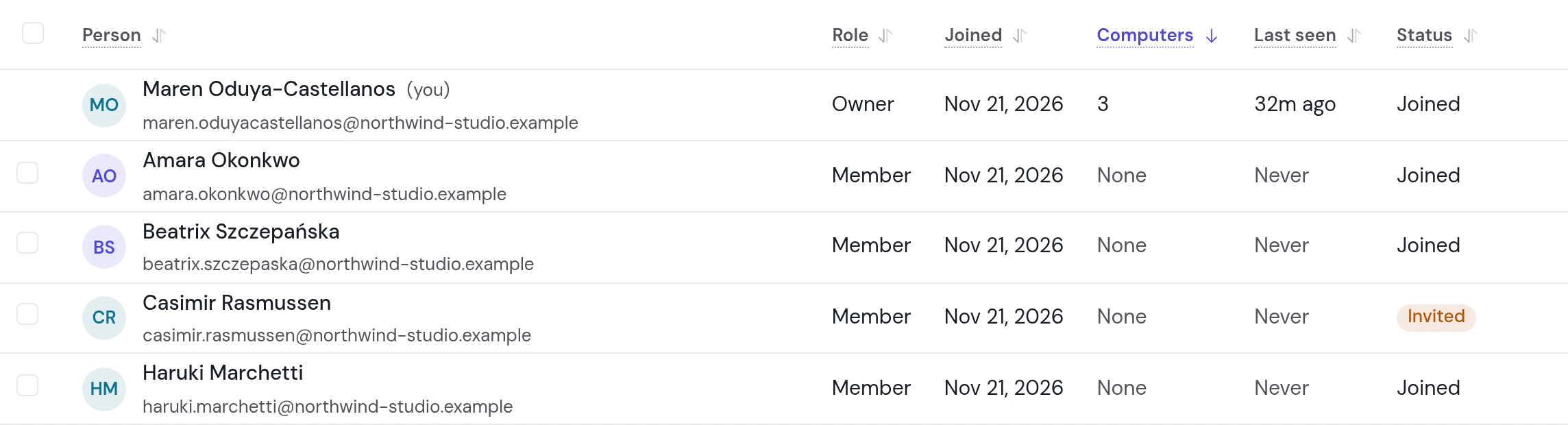
People lists everyone in the account, with their role and their computers. Groups share a space with many people at once. Activity counts what each person and their AIs did, day by day, and never holds the words.
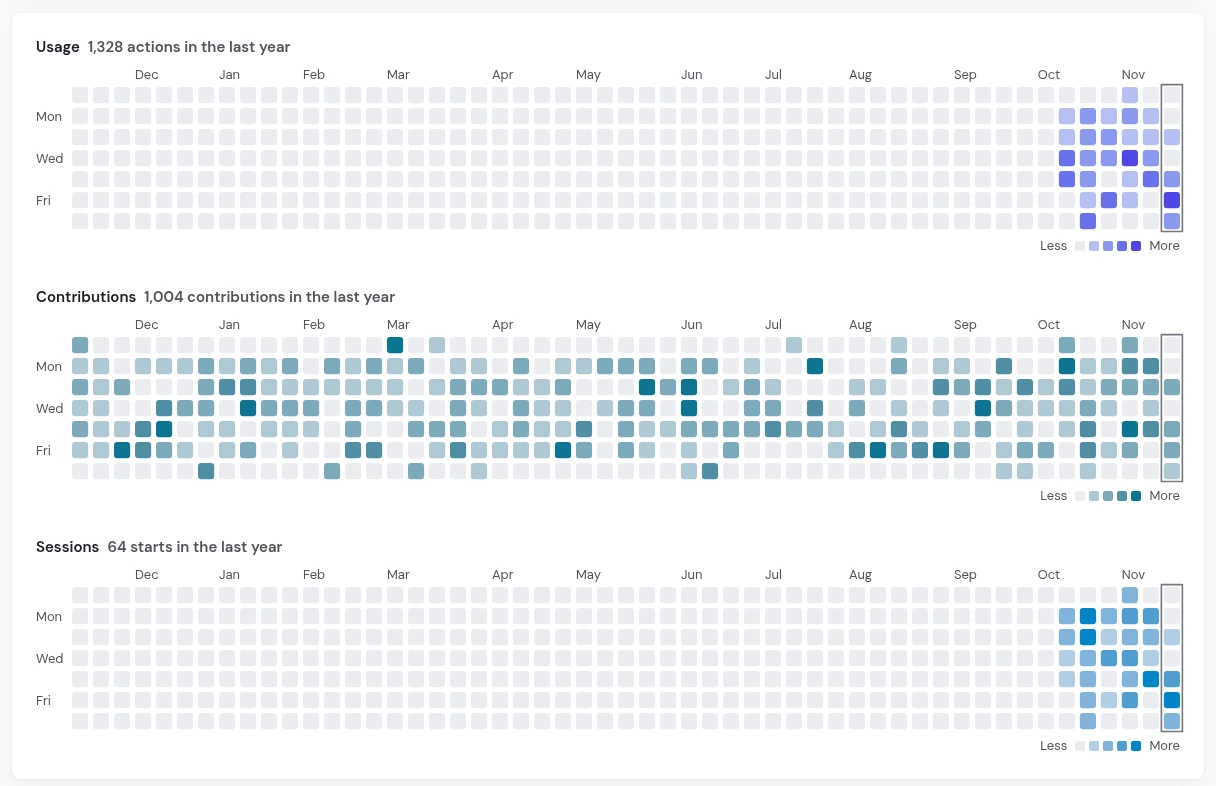
Each person gets a year of days as a grid, a square a day, darker for more. The figures are an example.
An account role says who manages people, groups, and team spaces. Who reads a page is the space's own choice.
Manages the account, its owners included. The account always keeps an owner who has joined.
Invites and removes people, makes groups, team spaces, and agents.
Reads and writes the spaces shared with them, at each space's role.
Inviting an owner, a change to or from owner, and removing an owner or an admin each ask for your own password first.
A new person reads what Everyone reads from their first day, so you see those pages first.
Their email, their full name, a role, and their groups.
owners and adminsEvery space Everyone reads, and their groups' spaces, one under another.
before it is sentOne use, to their mailbox. No page shows it.
seven daysA password and a second step, then their computer.
Get startedA group is people of the account under one name. Add someone to the group, and they read its spaces too.
Design: the five people who design, and the next one who joins it.
on the Groups tabThe design system's pages, shared whole with the group, at one role.
editorEvery person in Design reads and writes it, and their AIs within the reach each person gives them.
nothing more to shareThe group and the space are an example. Everyone is the group that holds every person of the account. Choosing a group's people shows the same review as an invite, one space under another.
It says how much each person worked with instibrain, and how much they added to what others read. Only the account's owners and admins read it. What they read is how much, never what.
A count is a number, and nothing more.
Invite them, share each space with the people who need it, and see who works with it.